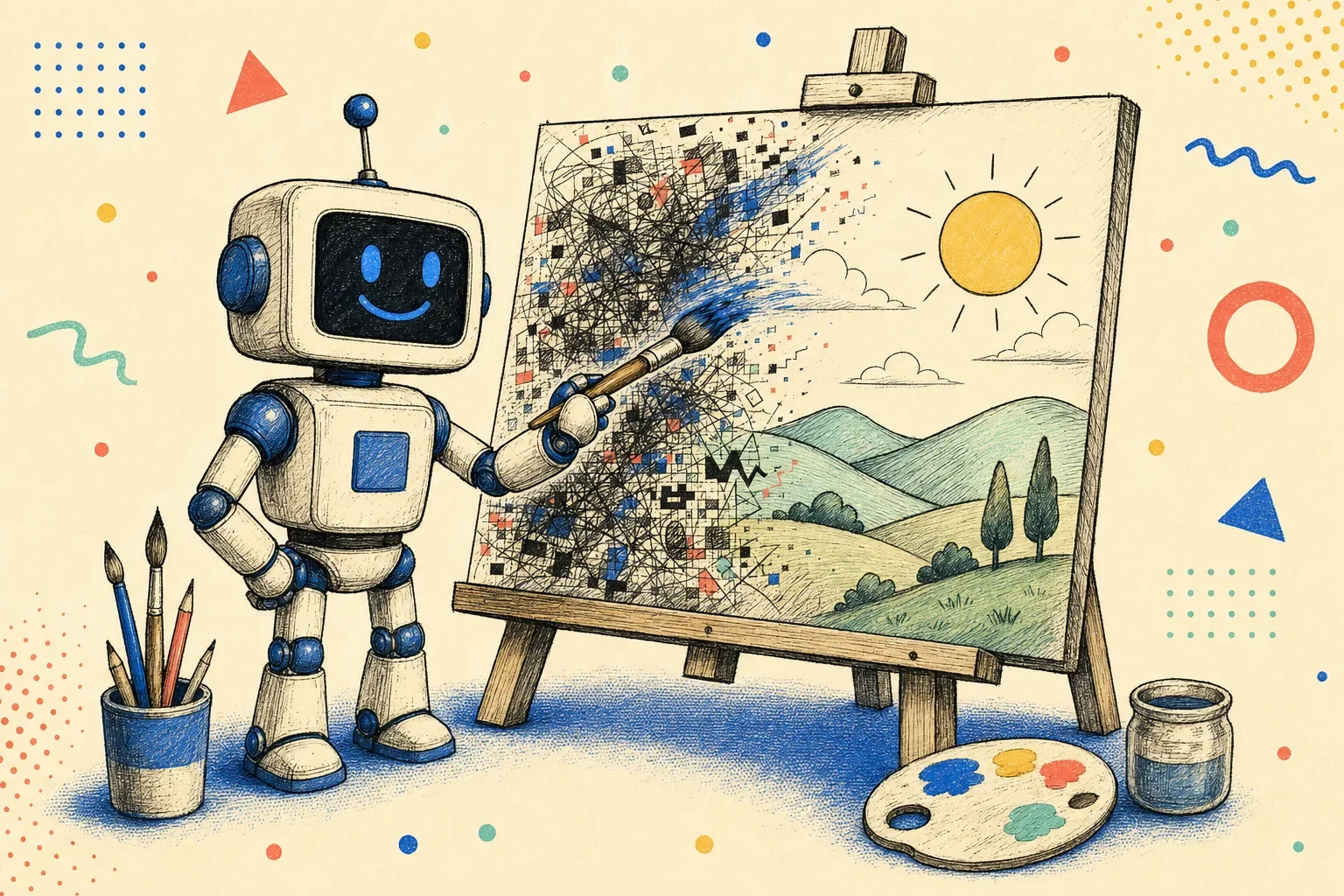
I generate a lot of images. Heroes, technical infographics, social cards, mockups, and the editorial illustrations across this site. For a long time, image generation in Claude Code (or any coding agent) was an exercise in pure frustration: describe a specific scene, get back a confident, glossy version of something vaguely adjacent, and then spend twenty minutes fighting prompt syntax to close the gap.
The text came out misspelled. The palette drifted three shades away from brand tokens. The model hallucinated extra fingers or invented floating plastic widgets. And the standard advice online was to pile on magic words: "8k, ultra-detailed, photorealistic masterpiece, trending on artstation."
Those filler words don't give an instruction-tuned model useful scene constraints. You aren't defining geometry or lighting; you're just adding noise. So I built pixeltamer, an open-source skill that gives AI coding agents a structured way to generate, edit, compose, and verify images with OpenAI's GPT Image models — currently defaulting to gpt-image-2.5, with gpt-image-2 still one environment variable away.
The image model and the two ways I call it
To understand how this setup works in practice, it helps to separate the three layers involved:
- The image model (
gpt-image-2.5): This is the model rendering the pixels. Unlike older image models that relied heavily on keyword soup, the GPT Image family is instruction-tuned: give it clear spatial boundaries and literal quoted text, and it follows. The 2.5 generation ships as two variants —gpt-image-2.5-flarefor speed andgpt-image-2.5-sunburstfor editing precision. Its honest limitations: stochastic drift across multiple edits, occasional anatomical quirks on complex subjects, and text placement that can still miss. - The coding agent: The agent (Claude Code, Pi, Codex, Cursor) reads the skill definition in
SKILL.md, translates your natural-language intent into structured CLI arguments, and executes the visual review step after generation. - The backend transport: Pixeltamer routes jobs through two distinct backends depending on your environment:
- OpenAI API: Calls OpenAI's image endpoints directly using an
OPENAI_API_KEY. Supports explicit target sizes, masked region inpainting, and native transparent PNGs. Billed per token against your API credit balance. - Codex CLI: Uses your existing signed-in ChatGPT account via the local
codexCLI. It runs one-shot generation viacodex execand handles edits and compositions through the OAuth Responses API. This lets you generate assets directly on your existing subscription without managing separate API keys, subject to your plan's standard usage limits.
- OpenAI API: Calls OpenAI's image endpoints directly using an
Concrete instructions beat praise words
Because gpt-image-2 is instruction-tuned, it responds to specific visual constraints rather than vague praise adjectives. Instead of stacking adjectives, I rely on three concrete prompting practices:
- Quote text explicitly: If you need text on a sign, label, or diagram, enclose it in exact double quotes. Explicit quotes give the model a literal typography target rather than a vague thematic suggestion.
- Describe layout and spatial relationships: Specify where elements sit ("subject aligned to the right third, open space on the left") instead of hoping the composition balances itself.
- Define concrete palettes: Name specific tones ("warm cream paper, dark charcoal ink, terracotta coral accents") rather than subjective labels like "clean modern aesthetic."
These practices guide the output much more effectively than generic modifiers, though generative output still requires checking.
Four operating modes
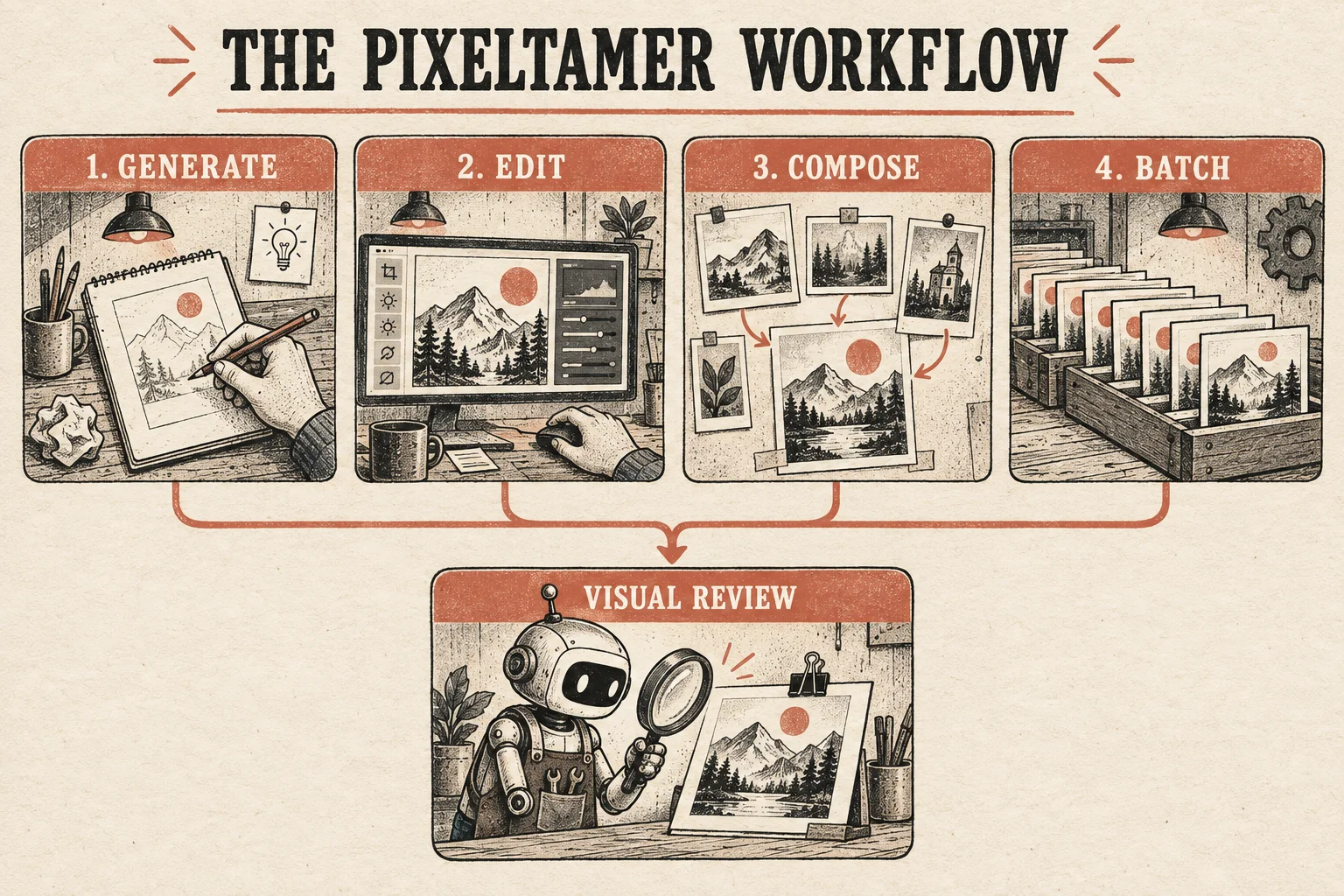
Pixeltamer organizes image tasks into four distinct modes in a single CLI and agent skill:
- Generate: One-shot creation from a prompt. Used for editorial hero illustrations, standalone mockups, and banners.
- Edit: Modifying an existing image. Supports prompt-based adjustments on both backends, plus mask-based inpainting on the API backend.
- Compose: Blending 2 to 16 reference images into a unified scene. Passing product shots, background environments, and character assets simultaneously.
- Batch: An automated verifier that checks generated assets against a planned manifest (confirming expected file paths, formats, non-zero file sizes, and target dimensions).
Two backends, honest trade-offs
Tools often require an OpenAI API key or lock you out of agent automation entirely. Pixeltamer implements two backends so you choose your setup based on available credentials and billing preferences:
| Feature | OpenAI API Backend | Codex CLI Backend |
|---|---|---|
| Billing | Pay-per-image against your OpenAI API balance | Uses your signed-in ChatGPT account (subject to plan usage limits) |
| Setup | Requires OPENAI_API_KEY |
Requires logged-in codex CLI |
| Masked Inpainting | Supported via region mask images (--mask) |
Not supported (prompt-only edits without masks) |
| Size Control on Edits/Compose | Explicit target sizes (e.g. 1024x1024, 1536x1024, 1024x1536) |
Requested size ignored; inherits source aspect ratio, resolution may vary |
| Transparent Alpha PNGs | Native parameter support on generate, edit, and compose | Prompt-driven alpha on generate; edit/compose requires API backend |
The Codex backend is convenient if you already pay for a ChatGPT plan: your agent can run generations directly off your subscription without managing extra API keys. However, it is not an unlimited free generation pipeline; it remains bound by your plan's usage caps. If you need masked inpainting or exact pixel dimensions on edits, the API backend provides those controls.
Multi-reference composition (2 to 16 images)
Single-shot generation works for general concept art, but technical and marketing assets often require combining real elements: an existing interface mockup, a desk photo, and an illustration asset.
In pixeltamer, Compose mode accepts between 2 and 16 image inputs using repeated -i flags. It sends these references to the model alongside a prompt that labels their roles:
pixeltamer compose \
  -p "Reference 1 is the product mockup. Reference 2 is the wooden workbench. Place the product upright on the center of the workbench with morning sunlight from the left." \
  -i product-mockup.png \
  -i workbench.png \
  -o composite-hero.png
This is semantic composition, not deterministic pixel layering. The model interprets the reference images and generates a single scene with consistent lighting, reflections, and perspective. Because the process is generative rather than mechanical, references can still drift, which makes visual verification necessary.
HTTP 200 doesn't prove the image is right
In traditional build pipelines, exit code 0 or an HTTP 200 response indicates success. In generative imaging, an API call can succeed completely, create a valid 2MB PNG file on disk, and still produce an image where a character has an extra finger or a headline contains a typo.
Mechanical verification scripts check file presence, file formats, and dimensions. Those checks catch crashed processes or truncated files, but they cannot evaluate image content. That is why pixeltamer includes a visual review procedure for coding agents:
The Inspection Step: The skill instructs the coding agent to load each generated file using its vision capabilities and compare it against the brief before closing the task. Does the quoted text match character-for-character? Did the palette stay within the requested colors? Are there obvious anatomical or geometric distortions?
If something is wrong, adjust one parameter and regenerate.
Having the agent review the actual pixels catches obvious flaws before assets are committed to a repository.
A worked example: drawing the workflow infographic
To see how this works end-to-end, look at the workflow diagram embedded above. It wasn't drawn in Figma or downloaded from a stock library. It was generated by an AI coding agent running pixeltamer with this command:
pixeltamer generate \
  -p "Editorial infographic diagram on warm cream textured paper, dark charcoal ink linework, terracotta coral accents. Title at top: 'THE PIXELTAMER WORKFLOW'. Four connected workshop panels: '1. GENERATE' (drawing a concept), '2. EDIT' (fine-tuning an image), '3. COMPOSE' (combining reference images), '4. BATCH' (queue of assets). All four lead to a final checkpoint: 'VISUAL REVIEW' with a small workshop robot inspecting output under a magnifying glass. Clean hand-drawn stipple texture, neo-brutalist tinkerer aesthetic, crisp layout, no neon purple glow." \
  --size 1536x1024 \
  --quality high \
  -o public/social-assets/blog/_inbody-pixeltamer-workflow.png
Before embedding that output into this article, the agent loaded the PNG and ran its inspection pass:
- Typography: Checked literal string matching on
"THE PIXELTAMER WORKFLOW","1. GENERATE","2. EDIT","3. COMPOSE","4. BATCH", and"VISUAL REVIEW". All rendered with zero character hallucinations. - Anatomy: Inspected the sketch hand in Panel 1 and the mouse hand in Panel 2. Both showed correct five-finger anatomy and natural grip angles.
- Palette adherence: Confirmed the background held the warm cream tone (
#F4EFEA) with terracotta accents rather than drifting into generic AI purple gradients.
Only after that visual pass passed did the agent upload the image to the media library and insert it into the markdown draft.
Why this model family and not something else
Fair question, since the market is full of image models. My reasons were practical, not tribal:
- Quoted text actually renders. With the older models I tried, a five-word headline came back mangled more often than not. With
gpt-image-2, quoted strings come out clean often enough that a single visual review pass — not five regenerations — closes the gap. - It follows spatial instructions. "Subject on the right third, open space on the left" lands often enough to plan layouts around it. That's what makes hero images with room for overlays possible.
- The API exposes real controls. Explicit sizes that match editorial layouts (1024x1024, 1536x1024, 1024x1536), masked inpainting for surgical fixes, and native transparent PNGs for cutout assets.
- It runs inside a coding agent's loop. Text in, files out, structured exit codes. No web UI to babysit. That's the part that makes automation possible at all.
Midjourney still wins on raw aesthetic punch for mood boards. Flux and the open-weights models win on self-hosting. But for production assets with text, brand palettes, and an agent in the loop, the GPT Image family is what made this workflow viable.
gpt-image-2.5 vs gpt-image-2: what actually changed
OpenAI released gpt-image-2.5 on September 8, 2026, and pixeltamer v0.6.0 now defaults to it. There is no single "2.5" model — the API ships two variants, and picking between them is the real decision:
gpt-image-2.5-flare— the fast default. OpenAI positions it for everyday generation and high-volume pipelines: higher image quality than GPT Image 2 at roughly 50% lower latency. This is the right choice for drafts, social cards, and anything where you iterate.gpt-image-2.5-sunburst— the precision tier. Slower, tuned for high-fidelity editing workflows where a targeted change must not wreck the parts you wanted kept. Better for final campaign assets and detailed product imagery.
Three practical details worth knowing before you migrate:
- Token rates doubled; consumption still varies. The 2.5 variants bill at $8 per million image input tokens and $30 per million image output tokens — twice gpt-image-2's current $4/$15. OpenAI also notes token consumption differs by model and quality setting, and their GPT Image 2 calculator does not estimate 2.5 usage. Re-measure your actual cost from the
usagefield instead of trusting old spreadsheets. - Two new quality rungs. The 2.5 models accept
xhighandmaxquality settings that didn't exist before (the ladder was capped athigh), plusautoas the default. - There is no bare
gpt-image-2.5model ID. A request formodel="gpt-image-2.5"fails — you must specify-flareor-sunburst. - Bigger canvases come standard now. The 2.5 models accept larger custom resolutions, and pixeltamer v0.6.0 exposes shorthand for the useful ones:
--size 2K(2048x2048) and--size 4K(3840x2160), alongside the classic 1024/1536 squares.
When does plain gpt-image-2 still make sense? Validated workflows where token costs are already mapped, and cost-sensitive bulk runs. It remains available in pixeltamer via OPENAI_IMAGE_MODEL; the same variable points at either 2.5 variant. What 2.5 doesn't fix: the published limitations still list text placement misses, recurring-character drift, and precise layout control as open problems — which is exactly why the visual review step below didn't go anywhere.
Questions people ask about using GPT Image 2.5 with coding agents
Do I need an OpenAI API key to use gpt-image-2?
No. Pixeltamer's Codex backend runs on a signed-in ChatGPT account through the local codex CLI — no API key, no separate billing. You trade away masked inpainting and explicit size control on edits, and you're subject to your plan's usage limits. The API backend needs the key but unlocks the full feature set; note that OpenAI requires one-time API organization verification before any account can call GPT Image models.
Is gpt-image-2 still supported?
Yes. OpenAI's own migration guidance says validated GPT Image 2 workflows should test 2.5 Flare for latency gains, not blindly switch. Pixeltamer keeps gpt-image-2 available: set OPENAI_IMAGE_MODEL=gpt-image-2 on the API backend. For new work, the 2.5 default is the better starting point — better quality per token and, on flare, roughly half the wait.
What's the difference between gpt-image-2.5 flare and sunburst?
Speed versus editing precision. Flare is OpenAI's default: built for everyday generation at about 50% lower latency than GPT Image 2. Sunburst trades that speed for tighter control across edits — the model to reach for when a targeted change keeps disturbing parts of the image you asked it to preserve. They bill at identical token rates, so the choice is workflow-driven, not cost-driven. In pixeltamer, switch between them with the OPENAI_IMAGE_MODEL environment variable.
How much does gpt-image-2.5 cost?
Token-billed, not flat per-image. Both 2.5 variants run $8.00 per million image input tokens and $30.00 per million image output tokens, with text input at $5.00 per million (per OpenAI's published pricing) — double what gpt-image-2 lists at today ($4.00/$15.00/$2.50). Token consumption also varies by model and quality setting, and OpenAI's GPT Image 2 calculator deliberately doesn't estimate 2.5 — read the usage field on real responses for your sizes and quality levels. The Codex backend sidesteps metering entirely — generation draws down your ChatGPT plan's usage instead.
What image sizes does gpt-image-2 support?
Three native sizes: 1024x1024 (square), 1536x1024 (landscape), and 1024x1536 (portrait). On the API backend you request them explicitly. On the Codex backend, generation honors the requested size, but edits and compositions inherit the source image's aspect ratio instead.
Can gpt-image-2 render text correctly?
Much better than earlier generations, when you quote the exact text in double quotes and keep strings short. It is not perfect — which is exactly why pixeltamer's workflow ends with the agent reading the image back and checking the text character-by-character before calling it done.
How many reference images can pixeltamer blend at once?
Between 2 and 16. Each reference is passed with a repeated -i flag, and the prompt labels what each one is. The model blends them into one scene — direction, not deterministic layering — so the visual review step still applies.
Can it generate transparent PNGs?
Yes. Both backends produce real alpha-channel PNGs in generate mode — the API takes it as a parameter, Codex gets there via prompt instructions plus an automated alpha check. For transparent edits and compositions, use the API backend.
Does this work with Claude Code, or just Codex?
Any agent that reads SKILL.md: Claude Code, Pi, Codex CLI, Cursor, OpenCode. The skill is just files — a markdown contract plus scripts. The agent hosts handle execution; pixeltamer handles the image plumbing.
How it installs and runs
Pixeltamer installs as a standard agent skill via the Skills CLI:
# Install the skill for your coding agents
npx skills add gabelul/pixeltamer-gpt-image-skill
Inside an agent (Claude Code, Pi, Codex, Cursor), the host reads SKILL.md and runs the dispatcher automatically. If you want to run commands directly from your terminal shell, either call the script by its installed path or symlink it into your PATH:
# Optional: symlink to your local PATH for direct terminal use
ln -s ~/.agents/skills/pixeltamer/scripts/pixeltamer ~/.local/bin/pixeltamer

# Check backend status
pixeltamer doctor

# Generate an editorial asset
pixeltamer generate \
  -p "Editorial illustration of a small clay robot working at a wooden workbench, warm cream paper background, dark charcoal linework, terracotta coral accents, no text" \
  --size 1536x1024 \
  --quality high \
  -o public/media/blog/editorial-hero.png
If an output has a minor issue, you can use pixeltamer edit to target that specific problem rather than regenerating the entire image from scratch.
Real production use
Pixeltamer was built to handle real asset generation for this site: the post hero illustration above, the workflow diagram, and editorial graphics across Booplex were drawn using this tool. It fits into a broader toolkit alongside slopbuster (for cleaning AI writing tells) and pixelslop (for evaluating rendered UI in real browsers).
You can find more details on the pixeltamer project page or view the source repository on GitHub under the MIT license.