
I was clicking through my own site the other night, beer in hand, doing the thing where you reread your old posts and quietly judge past you. One of them just stopped. Halfway down my llms.txt guide, right after a code block, the text was gone. Not deleted.
Gone from the screen. Scroll a bit and a heading would reappear out of nowhere, like the page had blinked.
If you dragged your cursor across the empty area, the text was actually there. Selected, copyable, real. It was just dark text sitting on a dark code-block background, completely invisible. The whole back half of the post had been swallowed into a code box that had no business being that big.
The stored content was fine
First instinct: the post got corrupted in the database. So I pulled the raw HTML straight out of Postgres. It was perfect. Clean <pre> blocks, clean paragraphs, everything closed properly.
Whatever was breaking the page wasn't in the data. It was happening at render time, somewhere between the database and the browser.
That left one suspect. I run AI-generated content through a little formatter before it hits the page. Nothing fancy. It splits the giant wall-of-text paragraphs that language models love to produce into something a human can actually read.
It's deterministic, it's fast, and it had been running on every post for months without a peep.
The culprit
Here's the line that did the damage:
result.replace(/<p([^>]*)>([\s\S]*?)<\/p>/gi, ...)Read it the way the regex engine does. It's looking for <p, then "any characters that aren't >," then >. The idea was to match a paragraph tag and its attributes, like <p class="whatever">.
Now look at what <pre> is. It starts with <p. Then it has "re". And then a >.
To that regex, <pre> is a paragraph tag whose "attributes" are the letters re. It matched my code blocks as if they were paragraphs.
On its own that's harmless. The damage happened on the next line. When the formatter decided a block was long enough to split, it re-wrapped each chunk in a paragraph tag by gluing the original "attributes" back on:
chunks.map((chunk) => `<p${attrs}>${chunk}</p>`)So with attrs set to "re", <p${attrs}> rendered as <pre>. The formatter took a real code block, decided it was a chatty paragraph, chopped it up, and stitched it back together as a brand new, unclosed <pre> wrapping everything after it. Every heading, every list, every paragraph in the back half of the post got sucked into a phantom code box. Dark text, dark background, invisible.
The fix is one character class
The regex needed to stop treating "re" as attributes. A paragraph tag is either <p> or <p followed by whitespace and then attributes. Never <p immediately followed by a letter. So:
// before: matches <pre>, <param>, <picture>, anything that starts with <p
/<p([^>]*)>([\s\S]*?)<\/p>/gi

// after: the (?:\s[^>]*)? forces a space before any attributes
/<p((?:\s[^>]*)?)>([\s\S]*?)<\/p>/gi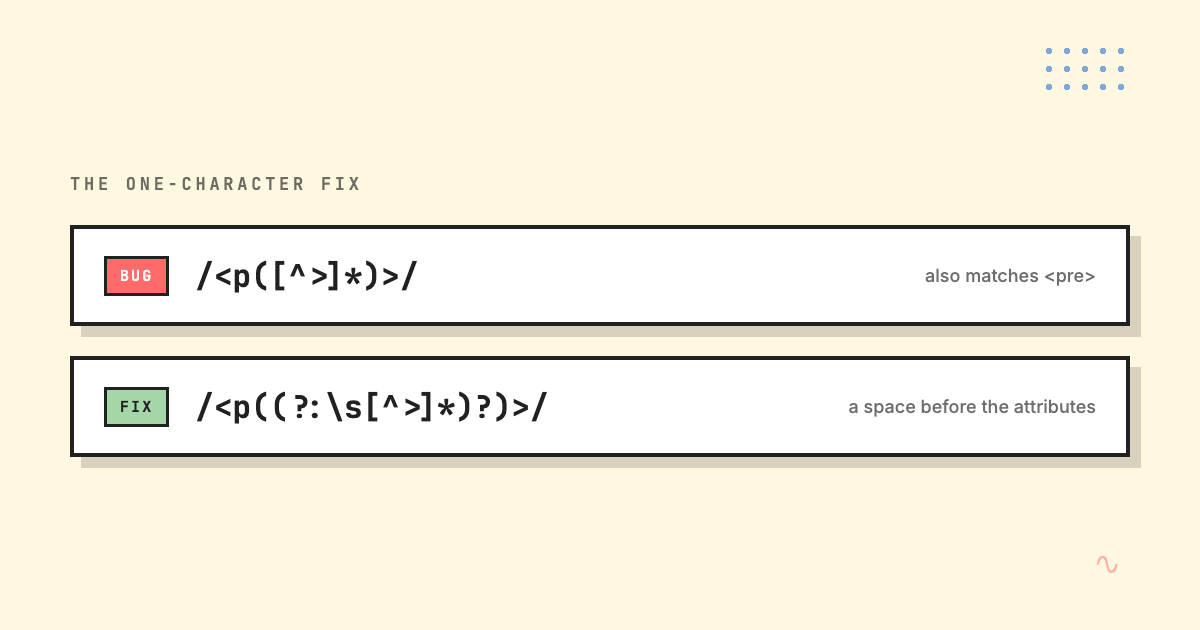
That's it. One non-capturing group that says "if there are attributes, they come after a space." <pre> stops matching, the code blocks survive, the back half of every post reappears. I shipped it with a couple of regression tests so the same gremlin can't sneak back in, and the whole thing was live in about twenty minutes.
The lesson that isn't "don't parse HTML with regex"
You already know the cheap takeaway. Don't parse HTML with regex. And yet you'll do it anyway, because sometimes a quick string replace is genuinely the right tool and pulling in a full parser is overkill. I'm not going to pretend otherwise.
The lesson I actually took is about helpful code. That formatter wasn't a feature anyone asked for. It was me being clever, smoothing over AI's wall-of-text habit automatically, on every render, forever. And clever code that runs everywhere and touches everything is exactly the kind of code that fails quietly.
It didn't throw an error. It didn't show up in any log. It just made content disappear, and the only reason I caught it is that I was bored enough to read my own blog. The last time something failed this quietly on my own site, it was canonical URLs silently pointing at localhost in production — same flavour of invisible.
So that's the real fix, the one that isn't a regex: actually look at the thing you built, on the actual site, with your actual eyes. Tests are great. Tests also pass while half your page is invisible to a human. Trust the green checkmark.
Look at the page.